Administrator
Review the most powerful built-in WordPress role and its site-management permissions.
Productivity Tools
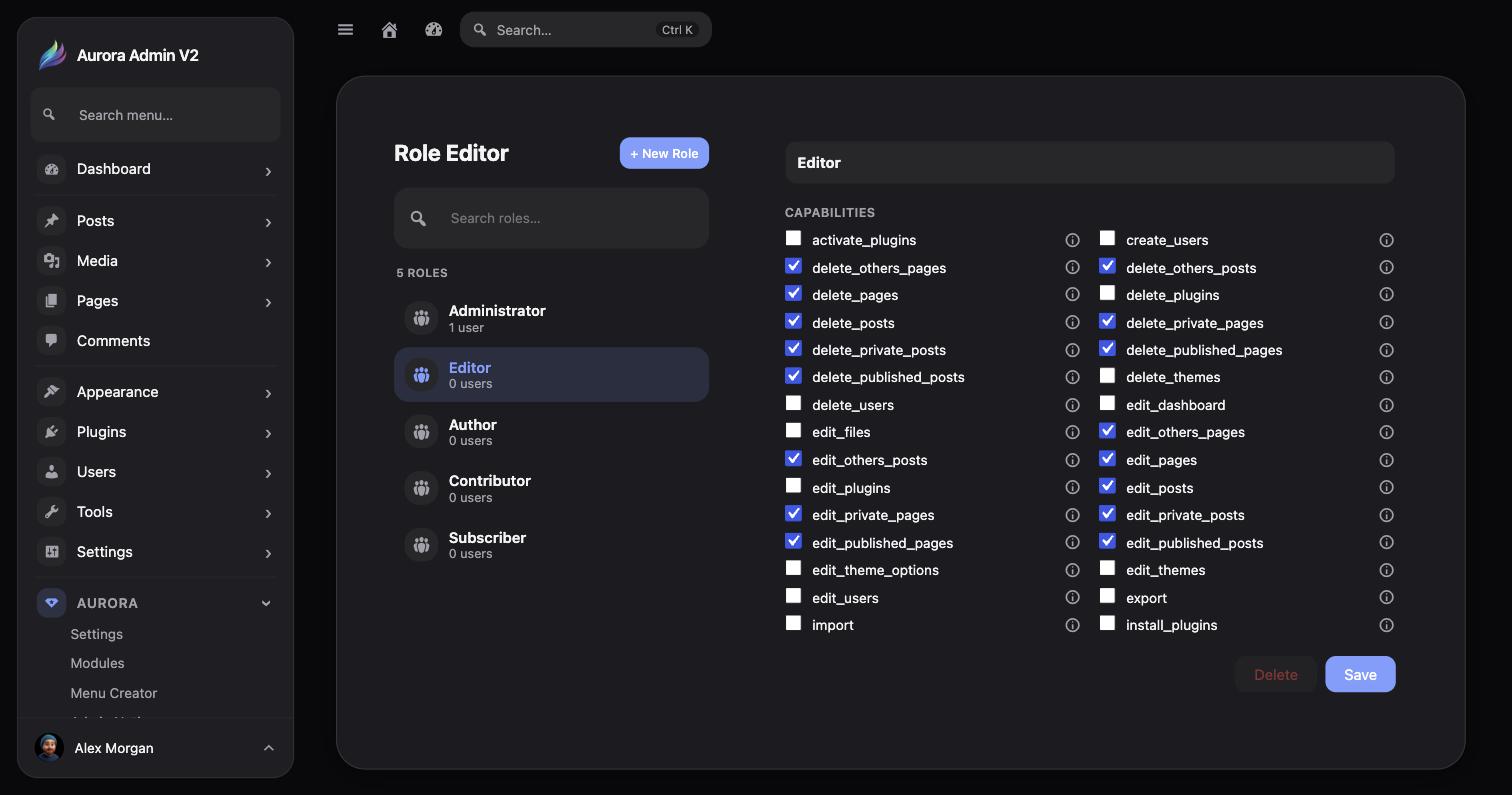
Review default and custom WordPress roles, then control individual capabilities through a clear visual grid.
Review the most powerful built-in WordPress role and its site-management permissions.
Control publishing and content-management access for editorial teams.
Fine-tune what writers can create, edit, publish, and delete.
Manage roles created by Aurora Admin or other WordPress plugins.
Select one of the five default WordPress roles or a custom role from the role list.
Every WordPress capability for that role appears as its own row — a checkbox plus an info icon with a plain-English explanation of what the capability actually does.
Enable or disable individual capabilities directly in the grid. Avoid broad changes when a single permission solves the problem.
Save the role, then verify the result with a non-administrator test account.
The Role Editor’s capability grid is Aurora’s granular, per-capability control — there’s no separate capability-editor screen. Select a role and every capability it holds (edit_posts, manage_options, delete_users, and so on) is right there as an individually toggleable row.