Dashboard
Core
Dashboard
Everything happening on your website, at a glance.
Overview + AnalyticsServer healthCtrl+K search
Aurora replaces the traditional widget-based WordPress dashboard with a focused control center for daily site management.
Overview mode
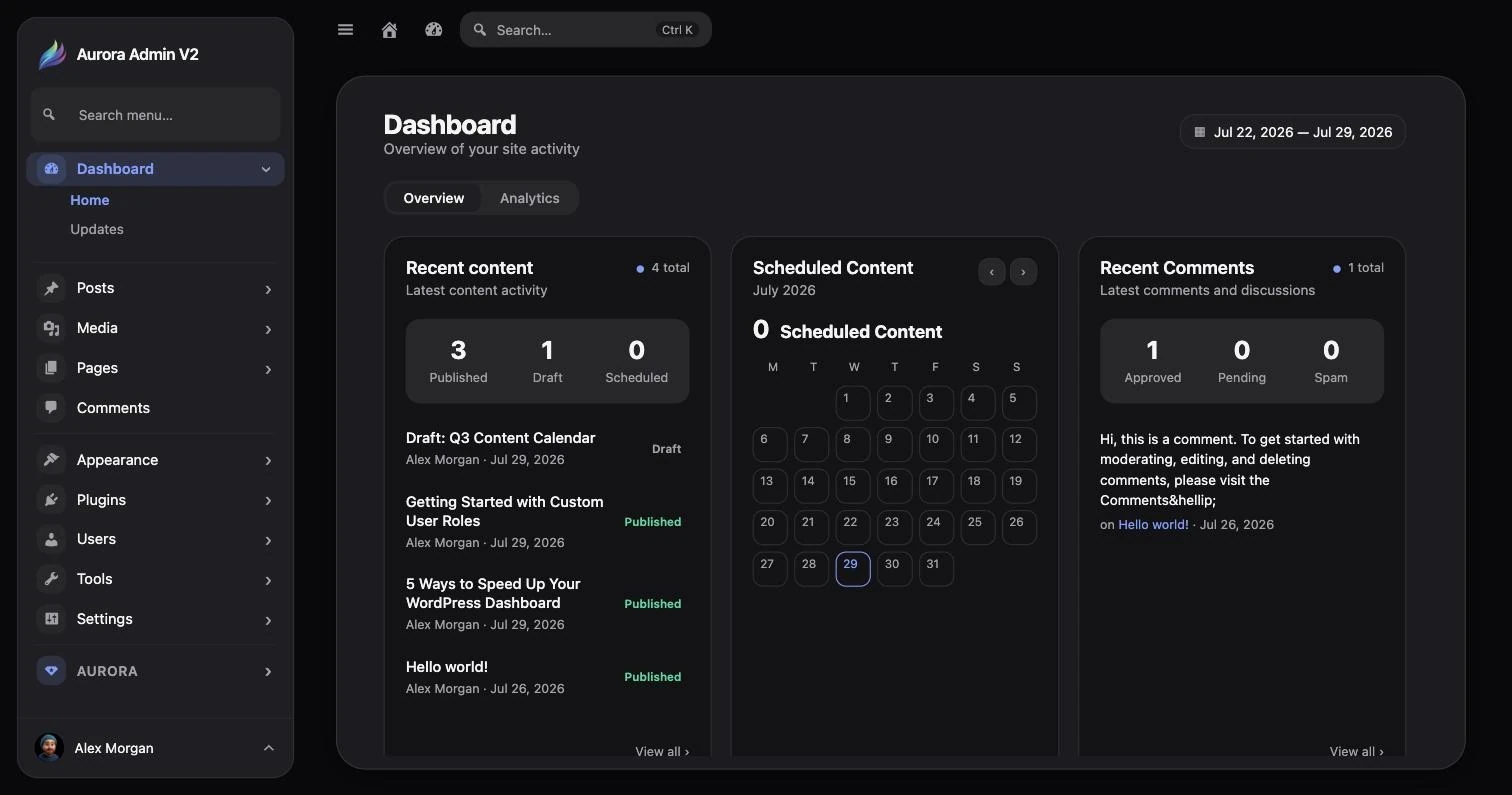
Section titled “Overview mode”The Overview tab combines the information administrators check most often:
- Recent content shows published, draft, and scheduled work.
- Scheduled content places upcoming publishing dates on a calendar.
- Recent comments summarizes discussion activity and moderation status.
- User analytics tracks account growth over the selected range.
- Media analytics reports file counts and storage use.
- Server health surfaces WordPress, PHP, memory, disk, and update information.
Analytics mode
Section titled “Analytics mode”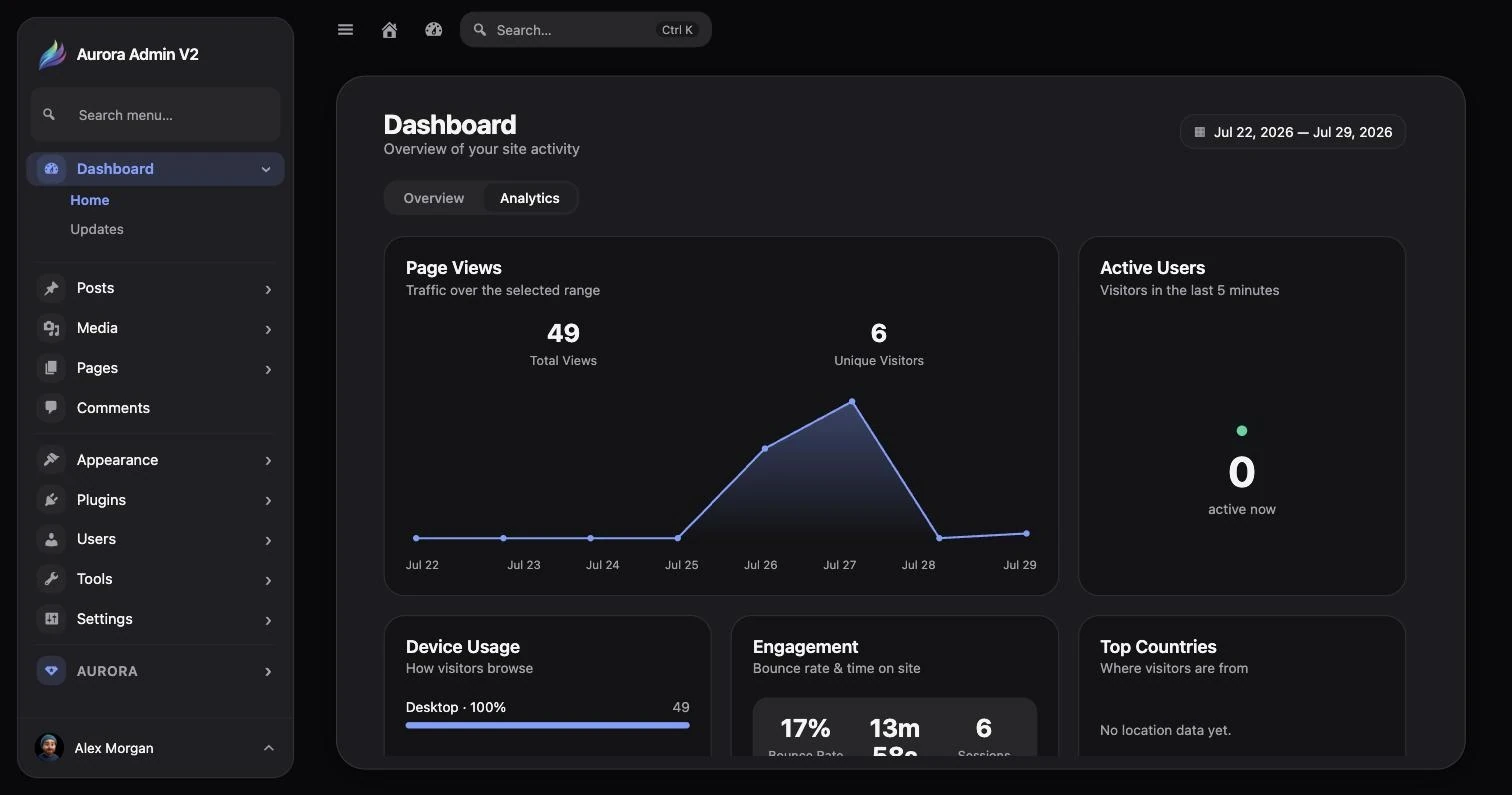
The Analytics tab provides page views, unique visitors, active users, device usage, engagement, top countries, top pages, and referrers.
A useful daily check
Section titled “A useful daily check”- Review recently published and scheduled content.
- Check comments that may need attention.
- Confirm media and user activity look normal.
- Review server health for resource or update warnings.
- Open Analytics when traffic performance matters.