Target roles
Checkboxes for every WordPress role. The menu only appears for roles you select.
Tools
Build and customize your own wp-admin sidebar menu.
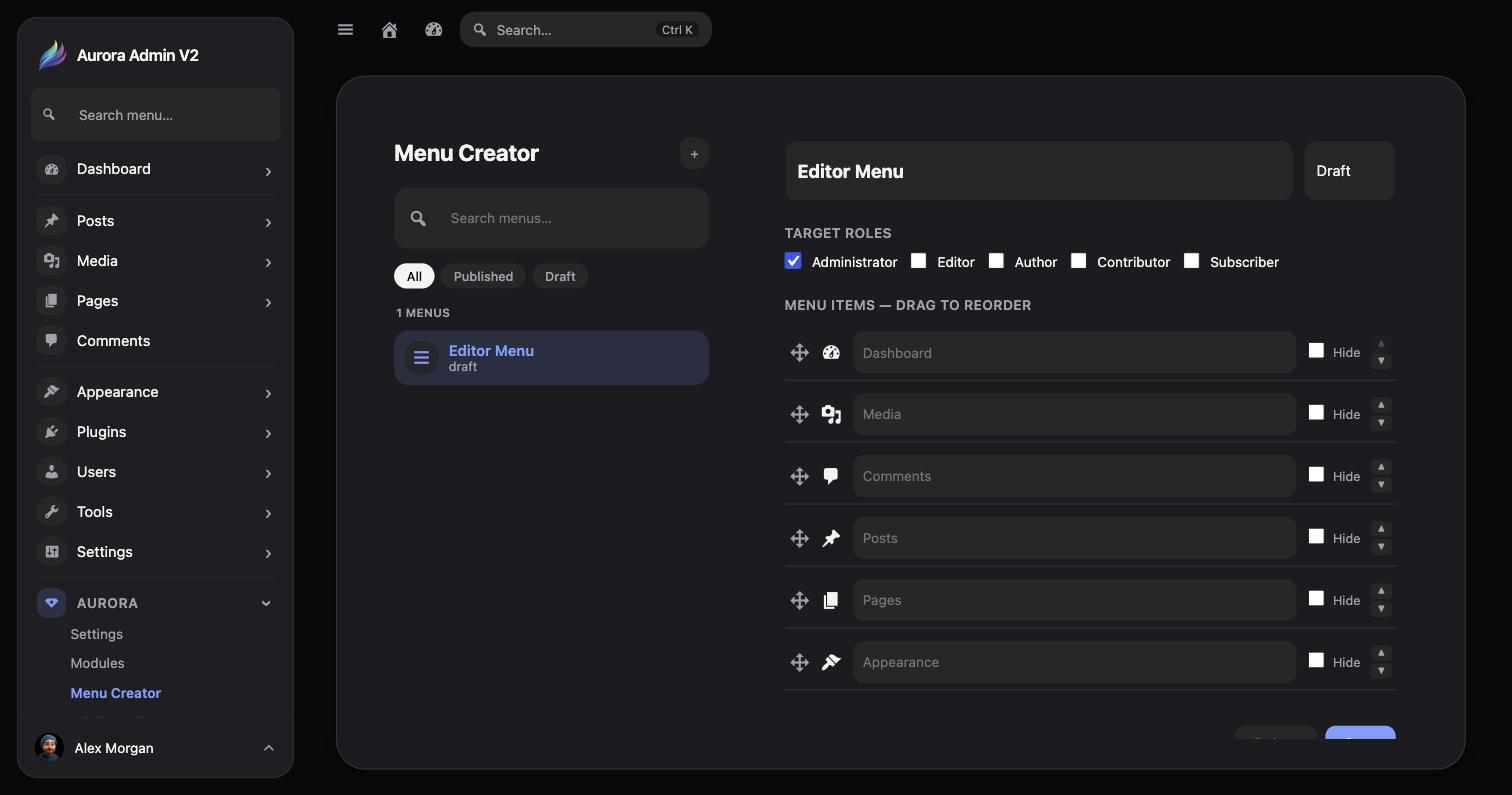
Checkboxes for every WordPress role. The menu only appears for roles you select.
Every native item (Dashboard, Media, Comments, Posts, Pages, Appearance, and more) listed with a drag handle and a per-item Hide checkbox.
A menu stays in Draft until you're ready — only Published menus apply to the roles they target.
Select the + button next to Menu Creator’s title.
Check every role that should see this menu. Leaving all roles unchecked means no one sees it.
Drag items into the order you want, and check Hide on anything that shouldn’t appear for the targeted roles.
Flip the menu from Draft to Published once it’s ready to take effect.