Create folders
Group assets by project, client, campaign, year, or any structure that fits the site.
Productivity Tools
Create, rename, and nest folders directly inside Aurora Admin's reskinned media library.
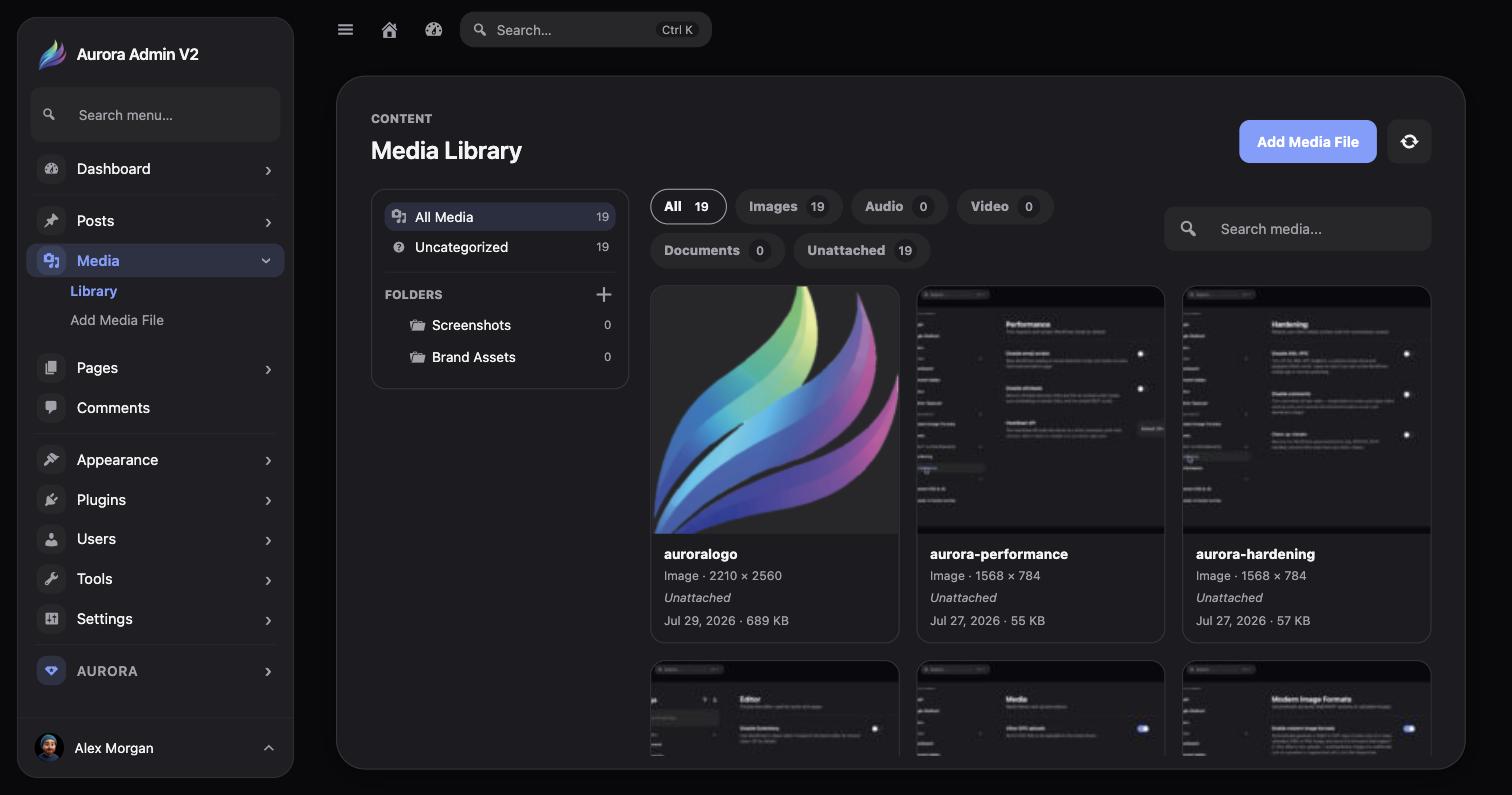
Group assets by project, client, campaign, year, or any structure that fits the site.
Update folder labels as projects and content structures evolve.
Build a hierarchy for larger libraries instead of relying on one flat list.
Combine folder navigation with media-type filters to find assets faster.
Go to the Aurora Admin Media Library.
Add a folder with a clear, durable name such as Brand, Blog, or 2026 Campaigns.
Nest folders only when the extra level makes browsing easier.
Organize media items, then confirm existing posts and pages still display their attachments normally.