Posts
Write, organize, and publish content without changing the WordPress workflow you already know.
Aurora modernizes the surrounding administration experience while preserving compatibility with WordPress editors, plugins, taxonomies, media, and publishing controls.
Create a post
Section titled “Create a post”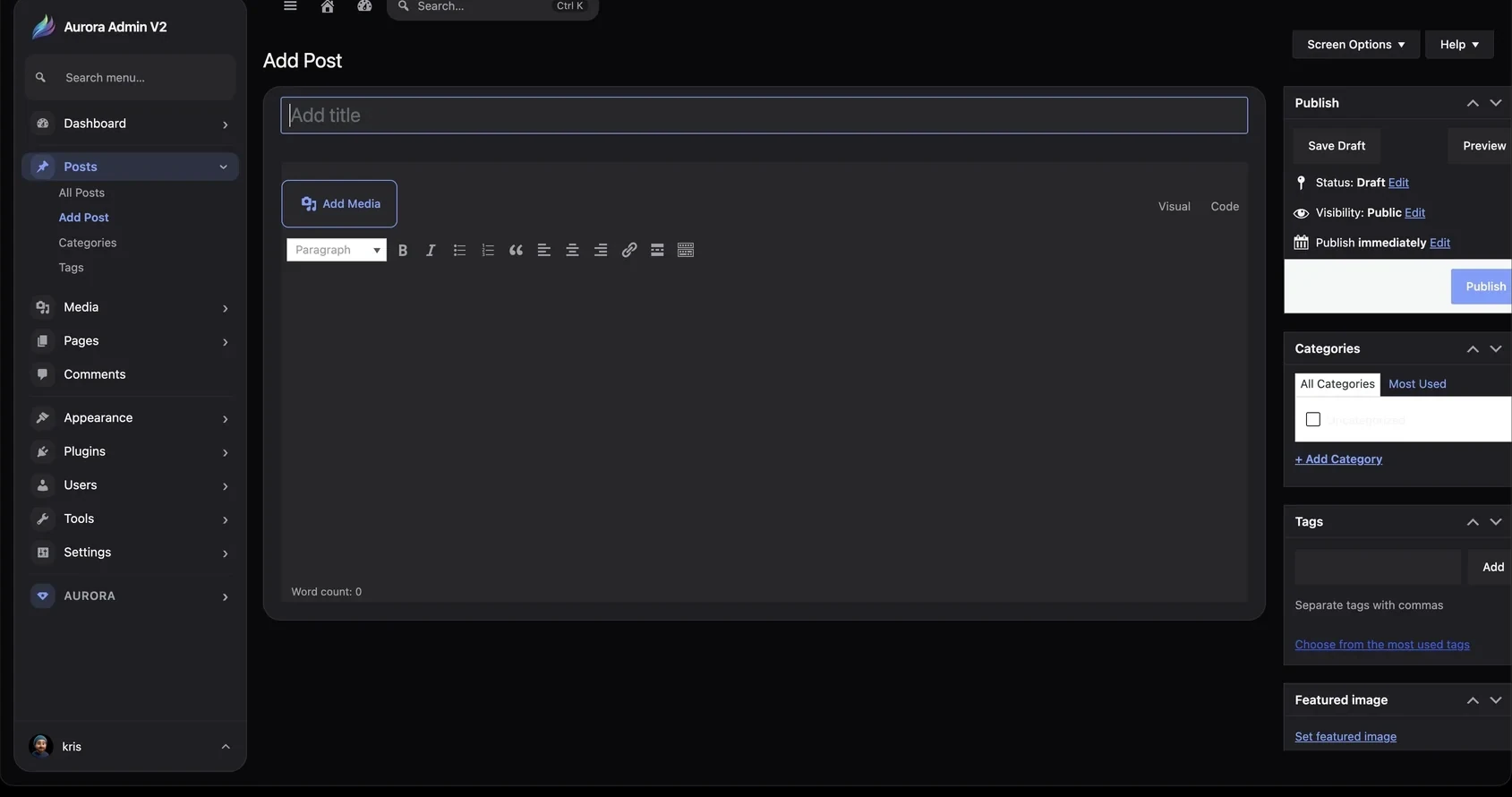
- Open Posts → Add Post.
- Enter a title and write the content.
- Add media, categories, tags, and a featured image.
- Save a draft, preview the result, schedule it, or publish immediately.
Edit existing content
Section titled “Edit existing content”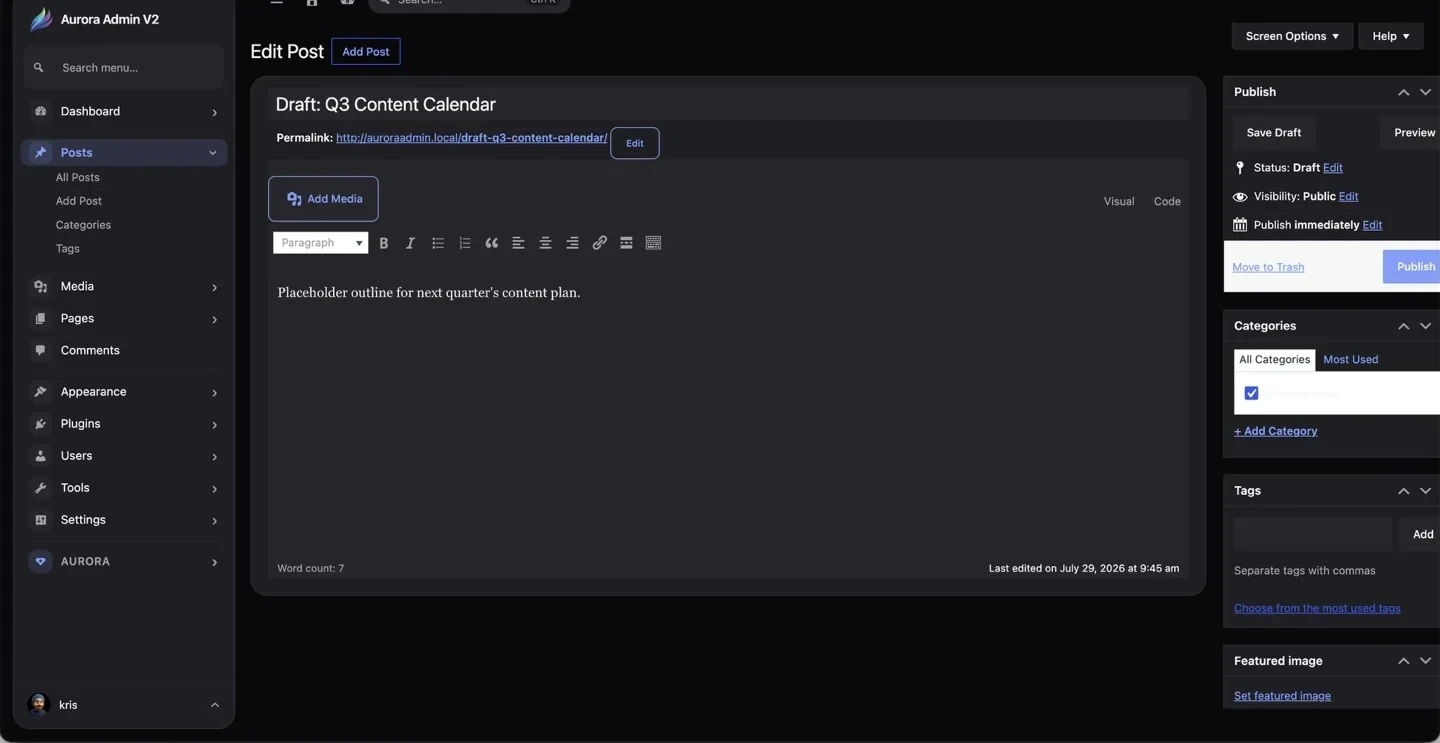
The edit screen keeps the permalink, publishing state, visibility, categories, tags, featured image, and last-edited information close to the content.
Classic Editor and Gutenberg
Section titled “Classic Editor and Gutenberg”Aurora supports both editing experiences. The Disable Gutenberg setting can restore the Classic Editor for teams that prefer a traditional writing workspace. When Gutenberg is enabled, Aurora styles the surrounding WordPress interface without replacing the block editor itself.
Categories
Section titled “Categories”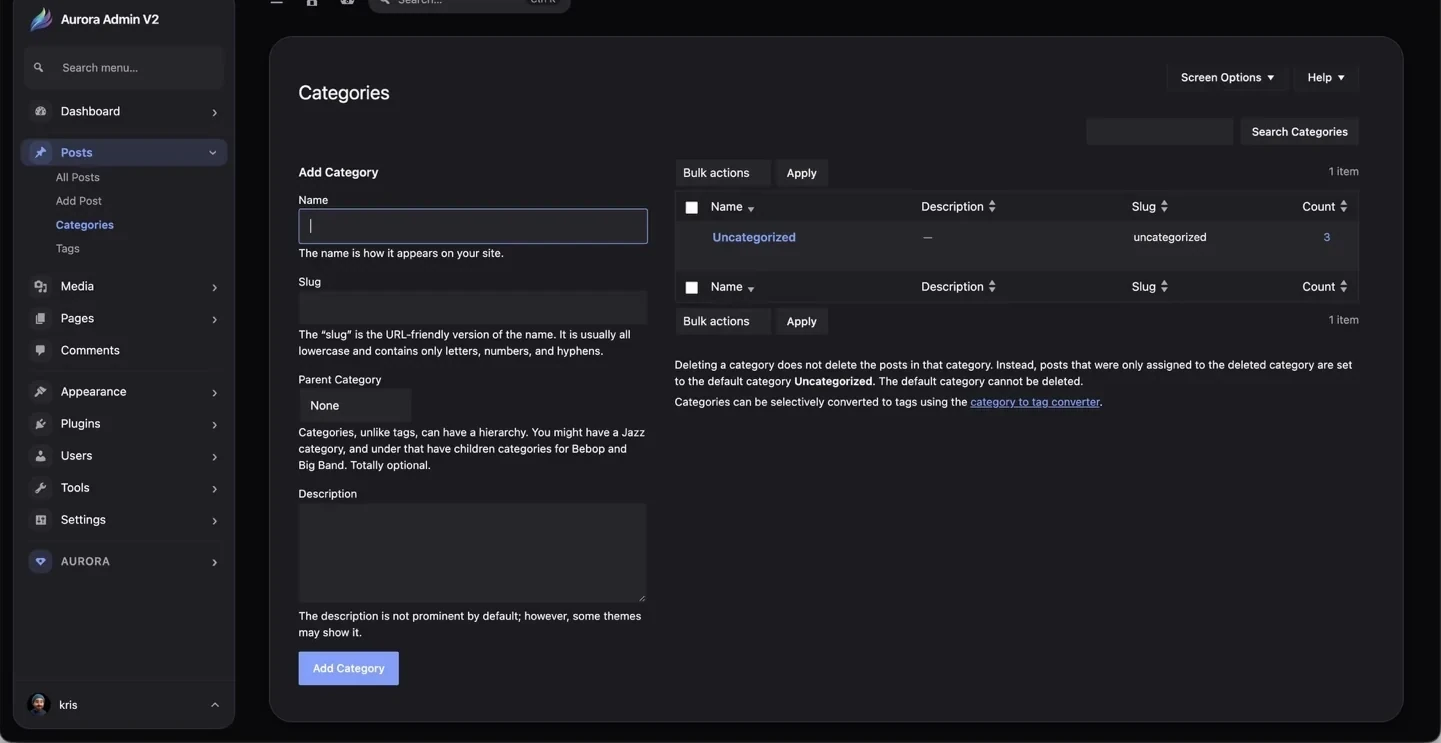
Categories provide broad, hierarchical organization. A category can have a parent, making structures such as News → Product Releases possible.
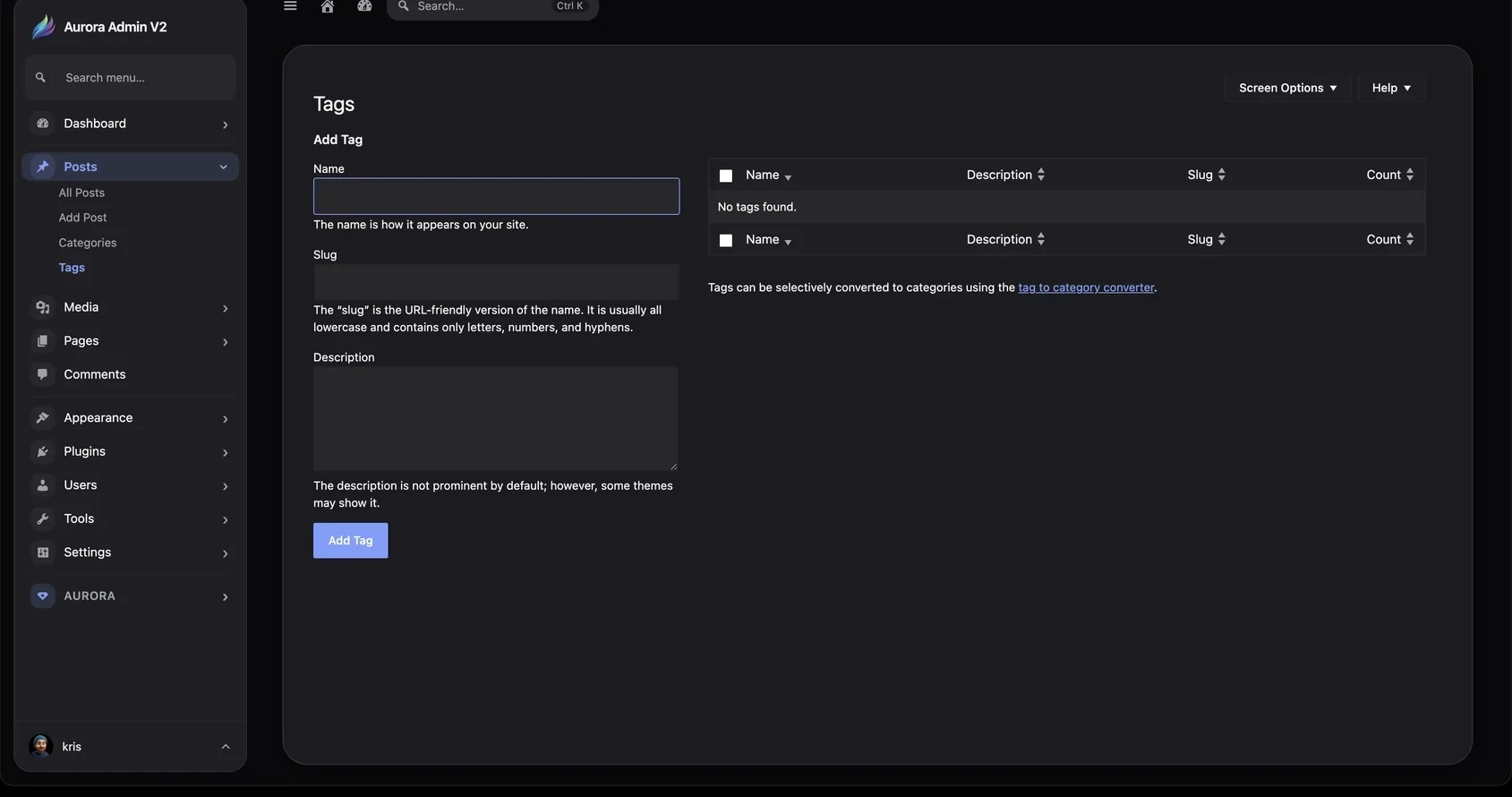
Tags describe specific topics without hierarchy. Use them selectively so the archive remains useful rather than becoming a list of one-off labels.